この記事では自宅サーバーの監視環境導入にあたり、ほぼ前提知識なしの状態からPrometheusとGrafanaを導入した経緯を書いている。IPv6シングルスタック対応。
Ubuntu実機AMD64環境
| Env |
Ver |
| Ubuntu |
24.04.3 LTS |
| nginx |
1.26.1 |
| Prometheus |
3.5.0 |
| Node exporter |
1.9.1 |
| NGINX Prometheus Exporter |
1.4.2 |
| Grafana |
v12.1.1 |
今回の作業はLAN内にある作業機からサーバーマシンに対して行うため、利便性のため各サービスに対してドメインを振っておく。
- OpenWrtの
/etc/hostsを開きPrometheusとGrafanaの設定を書く
- ここでは一旦、
prometheus.testとgrafana.testとする
/etc/init.d/dnsmasq restart- これでLAN配下の端末からnginxで設定したホスト名でアクセスできるようになる
PrometheusとはSoundCloudで開発された時系列のスタンドアロンバイナリのツールで、時系列でメトリクスを収集するツールのようだ。オープンソースソフトウェアとして公開されている。
メトリクスとは数値測定のことで、例えばCPU使用率や、メモリ使用量、HTTPサーバーがこれまでに返したレスポンスコード別のカウントなど、そういった数値のことだ。Prometheusはこれを定期的に収集することで、収集時刻+メトリクスで時系列の数値データを蓄積しているものと思われる。
実際のデータとしてはメトリック名に対して連想配列を格納したデータを保持しているっぽい。イメージとしては以下のような感じだろうか。
<metricName>: { <labelName>: <labelValue>, ... }
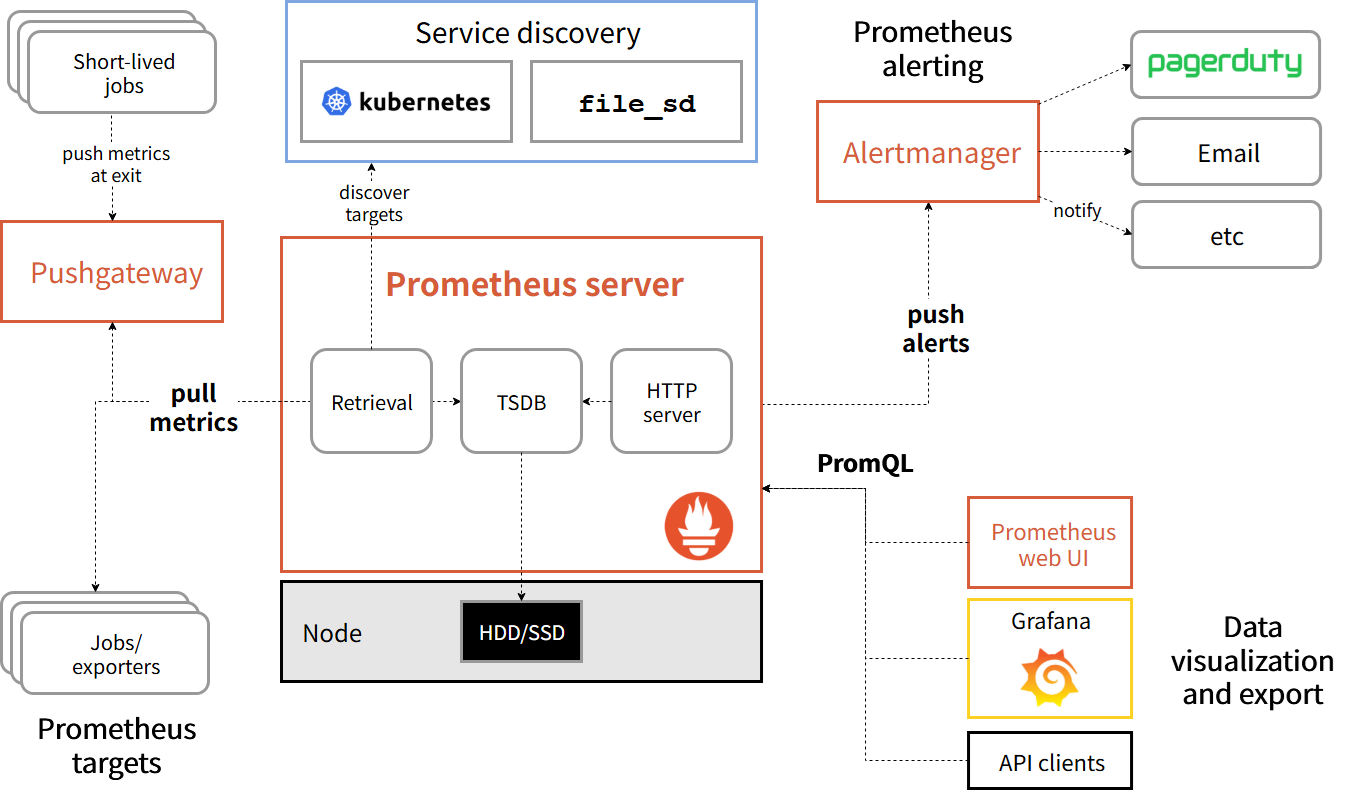
メトリクスはExporterと呼ばれるサービスに対してHTTP要求を投げ、その応答を記録しているようだ。つまりExporterがメトリクスを取得、Prometheus向けに情報加工し、PrometheusはExporterからこれを取得、時系列のデータベースにしているのだろう。
またエンドポイントが揮発性であるなど、短命である場合はPushgatewayというプロキシを使い、PushgatewayがPrometheus向けに情報公開する仕組みもあるようだ。
EoLはリリースから一年ほどと、短い。
Prometheusセットアップコマンドを流す
# 作業場所の作成
mkdir temp
cd temp

# バイナリ取得
wget https://github.com/prometheus/prometheus/releases/download/v3.5.0/prometheus-3.5.0.linux-amd64.tar.gz
tar xvfz prometheus-3.5.0.linux-amd64.tar.gz

# Prometheus実行ユーザーの作成
sudo groupadd prometheus
sudo useradd prometheus -g prometheus -d /var/lib/prometheus -s /usr/sbin/nologin -m
ls -la /var/lib/prometheus/

# binを配置
cd prometheus-3.5.0.linux-amd64
sudo cp prometheus promtool /usr/local/bin/
ls -la /usr/local/bin | grep prom

# 設定ファイルを配置
sudo mkdir /etc/prometheus
cat<<'EOF' | sudo tee /etc/prometheus/prometheus.yaml
global:
scrape_interval:     15s
evaluation_interval: 15s

rule_files:
# - "first.rules"
# - "second.rules"

scrape_configs:
- job_name: prometheus
    static_configs:
    - targets: ['[::]:9090']
EOF

sudo chown -R prometheus:prometheus /etc/prometheus
ls -la /etc/prometheus

# デーモン作成
cat <<'EOF' | sudo tee /etc/systemd/system/prometheus.service
[Unit]
Description=Prometheus - Monitoring and alerting toolkit
After=network-online.target
Wants=network-online.target

[Service]
Type=simple
User=prometheus
Group=prometheus
WorkingDirectory=/var/lib/prometheus
ExecStart=/usr/local/bin/prometheus \
    --config.file=/etc/prometheus/prometheus.yaml \
    --storage.tsdb.path=/var/lib/prometheus \
    --web.listen-address=[::]:9090
ExecReload=/bin/kill -HUP $MAINPID
Restart=on-failure
RestartSec=5s

[Install]
WantedBy=multi-user.target
EOF

# デーモン有効化
sudo systemctl daemon-reload
sudo systemctl enable --now prometheus
nginxからPrometheusの管理画面が開けるようにする。/etc/nginx/conf.d/prometheus.confを作成し、以下を記述。
upstream prometheus {
  server [::1]:9090;
}

server {
  listen        [::]:80;
  server_name   prometheus.test;

  access_log   /var/log/nginx/prometheus.access.log;
  error_log    /var/log/nginx/prometheus.error.log;

  location / {
    proxy_set_header Host $host;
    proxy_pass  http://prometheus;
  }
}
sudo service nginx restart
- 設定したホストにアクセスできればOK
先ほどの「Prometheusセットアップコマンドを流す」ステップで作成した設定の説明。
First steps with Prometheusに書いてある通り、設定はprometheus.yamlのようなYAMLファイルに定義し、./prometheus --config.file=prometheus.ymlの様にして起動時に読み込んで利用する。
global:
  scrape_interval:     15s
  evaluation_interval: 15s

rule_files:
  # - "first.rules"
  # - "second.rules"

scrape_configs:
  - job_name: prometheus
    static_configs:
      - targets: ['[::1]:9090']
globalセクションではポーリング頻度と、ルールの評価頻度が指定されている。
rule_filesではルールファイルが指定される。
scrape_configsではポーリング先のリソースを指定する。この場合はhttp://localhost:9090/metricsに対して行われる。
ログの保持期限はprometheusを蹴るときのコマンドラインオプションで決まる。
デフォルトでは15日だが、--storage.tsdb.retention.timeを指定することで増やせるようだ。
単位はy, w, d, h, m, s, msがあり、--storage.tsdb.retention.time=90dの様にして指定する模様。
How long to retain samples in storage. If neither this flag nor "storage.tsdb.retention.size" is set, the retention time defaults to 15d. Units Supported: y, w, d, h, m, s, ms. Use with server mode only.
個人的にはデフォルトの15日で様子見し、必要に応じて伸ばしていこうと考えている。商業サービスのように可用性が重視され、障害発生などで過去を遡りたい場合には長期記録があると手がかりが増えるので、有用だと思う。
Exporterは実際に数値を収集し、Prometheusに対して情報公開するためのHTTPエンドポイントを提供するサービスで、この章では今回利用するものについて書いていく。
POSIX系システムのOSやマシンの監視にはPrometheus公式のNode exporterを利用する。
# 取得
wget https://github.com/prometheus/node_exporter/releases/download/v1.9.1/node_exporter-1.9.1.linux-amd64.tar.gz
tar xvfz node_exporter-1.9.1.linux-amd64.tar.gz
cd node_exporter-1.9.1.linux-amd64/

# binを配置
sudo cp node_exporter /usr/local/bin/
ls -la /usr/local/bin/ | grep node_exporter

# デーモン作成
cat <<'EOF' | sudo tee /etc/systemd/system/node_exporter.service
Description=Node exporter
After=network-online.target
Wants=network-online.target

[Service]
Type=simple
User=prometheus
Group=prometheus
WorkingDirectory=/var/lib/prometheus
ExecStart=/usr/local/bin/node_exporter \
    --web.listen-address=[::]:9100
ExecReload=/bin/kill -HUP $MAINPID
Restart=on-failure
RestartSec=5s

[Install]
WantedBy=multi-user.target
EOF

# デーモン有効化
sudo systemctl daemon-reload
sudo systemctl enable --now node_exporter
/etc/prometheus/prometheus.yamlを開きscrape_configs:に以下を追記
  - job_name: 'node'
    static_configs:
      - targets: ['[::1]:9100']
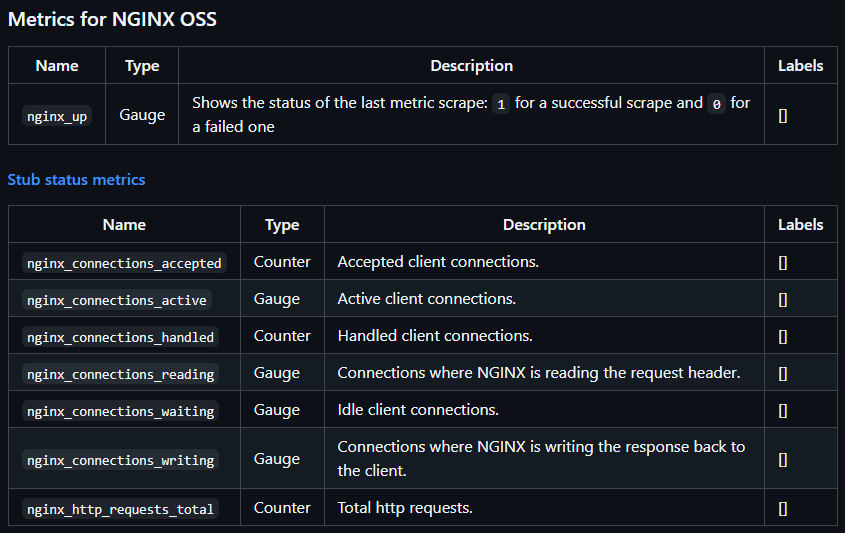
nginxの監視にはnginx公式のNGINX Prometheus Exporterを利用する。
これはログを監視するわけではなく、接続を許可した数や、現在の接続数、これまでのHTTP要求合計などの数値を公開しているようだ。
/etc/nginx/conf.d/status.confを作ってstub_status_moduleを埋める。
server {
    listen [::]:80;

    location /stub_status {
        stub_status on;
        access_log off;
        allow ::1;
        deny all;
    }
}
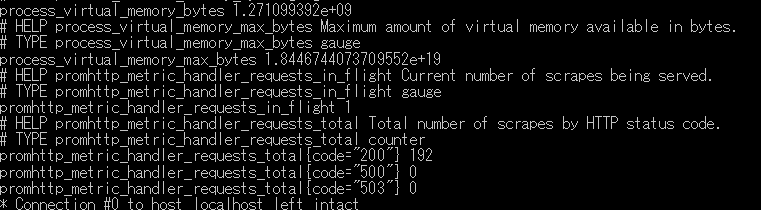
疎通確認
curl -v http://localhost/stub_status
こんなのが来ればOK
< HTTP/1.1 200 OK
< Server: nginx/1.26.1
< Date: Mon, 18 Aug 2025 10:31:59 GMT
< Content-Type: text/plain
< Content-Length: 97
< Connection: keep-alive
<
Active connections: 1
server accepts handled requests
 1 1 1
Reading: 0 Writing: 1 Waiting: 0
* Connection #0 to host localhost left intact
# 取得
wget https://github.com/nginx/nginx-prometheus-exporter/releases/download/v1.4.2/nginx-prometheus-exporter_1.4.2_linux_amd64.tar.gz
tar xvfz nginx-prometheus-exporter_1.4.2_linux_amd64.tar.gz

# binを配置
sudo cp nginx-prometheus-exporter /usr/local/bin/
ls -la /usr/local/bin/ | grep nginx-prometheus-exporter

# デーモン作成
cat <<'EOF' | sudo tee /etc/systemd/system/nginx_exporter.service
[Unit]
Description=NGINX Exporter
After=network-online.target
Wants=network-online.target

[Service]
Type=simple
User=prometheus
Group=prometheus
ExecStart=/usr/local/bin/nginx-prometheus-exporter \
    --nginx.scrape-uri=http://[::]/stub_status \
    --no-web.systemd-socket \
    --web.listen-address=:9113
ExecReload=/bin/kill -HUP $MAINPID
Restart=on-failure
RestartSec=5s

[Install]
WantedBy=multi-user.target
EOF

# デーモン有効化
sudo systemctl daemon-reload
sudo systemctl enable --now nginx_exporter
/etc/prometheus/prometheus.yamlを開きscrape_configs:に以下を追記
  - job_name: 'nginx'
    static_configs:
      - targets: ['[::1]:9113']
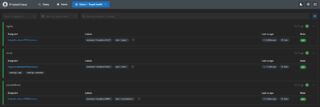
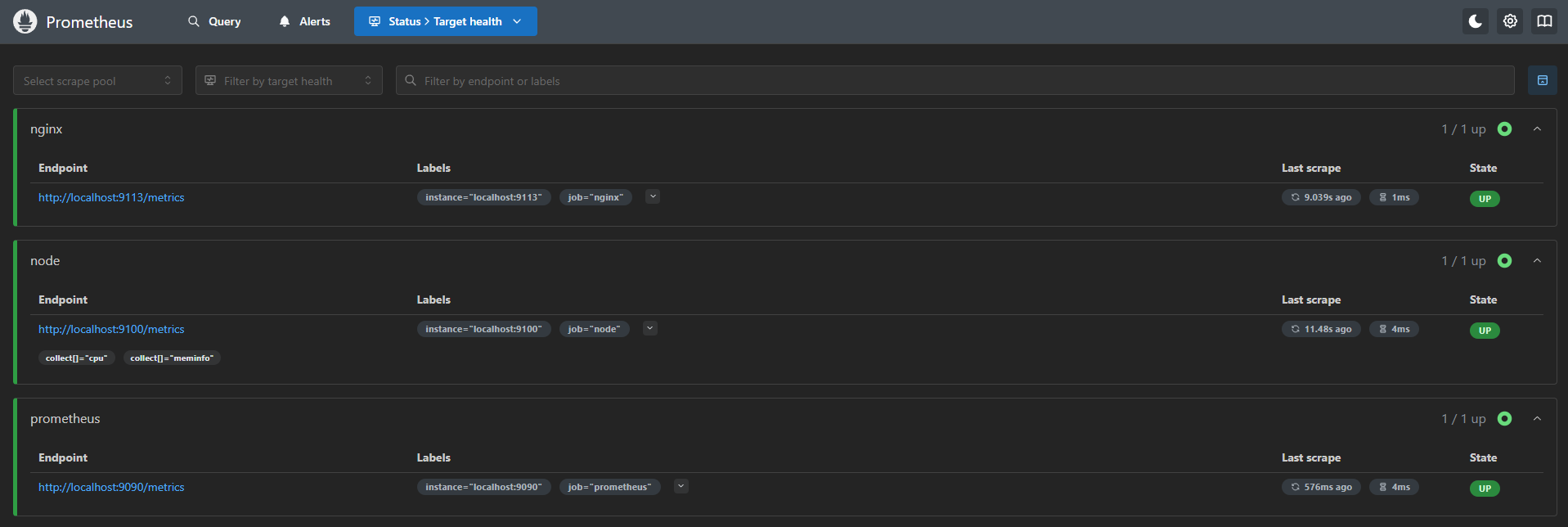
http://prometheus.testにアクセスできることを確認し、ついでにStatus→Target healthでExporterの死活も見ておくと良い。
IPv6縛りでやっているとPrometheusのNode exporterがPrometheus本体と疎通できなかったので諦めた。恐らくコンテナの中からIPv6でホストと通信するのが難しいのだと思う。
Node exporterホストのメトリクスを取る場合、Node exporterのネットワークはHost側に行くのため、prometheus.yamlのstatic_configs.targetsをlocalhostにするとコンテナ内を見てしまうから疎通できないし、host.docker.internalを指定してもv4アドレスの127.0.0.11が返ってきてしまうので疎通できない。IPv6をデフォルトにしてもhost.docker.internalは127.0.0.11のままで、AAAAレコードがない。
ググっても当てはまるものは出ず、GPT-5やClaude Opus 4.1に聞いても答えは得られず、消耗戦になるので諦めた。
それに物理サーバー一台の環境だとコンテナ化の恩恵もさほどないので、Docker固有の問題に苦しむくらいならバイナリを直に叩いた方が楽というのもある。
init.dの書き方で冗長だった記述や、誤解を招く記述の整理ができた。例えばNAME変数の影響範囲が広すぎて、本来波及してほしくない場所まで波及してしまう問題や、giteaにべったりで応用の利かない部分を直せたほか、一度しか出現しないのに変数化されていたり、存在しないファイルを参照するコードがあったのに気づけるなど、収穫が多くあった。
修正点としてはNAME変数はサービス名のみに影響するようにして、実行ファイル名に波及しないようにしたり、"$DAEMON -- $DAEMON_ARGS"となっていた場所も$DAEMON $DAEMON_ARGSとするなど、影響範囲を狭めたり、変数側で調整が効くものをべた書きで依存させないようにした。
今回は微妙な記事を参考にinit.dを書いてしまい、結構ハマってしまったが、今回の修正によって今後init.dを書く場合には、より詰まりづらくなることが期待できる。
今までPrometheusのことを色んなアプリケーションのログをフェッチしてDBに放り込んでくれるツールだと思っていたが、全然違った。Prometheusはメトリクスを時系列に集め、それをGrafanaなどのビジュアライザに提供できるツールだ。
この「メトリクス」や「時系列」という言葉が鍵で、「メトリクス」は任意の数値、時系列は取得した時間だ。
例えばCPU使用率が20%、メモリ使用量が24GBという情報をExporterが公開しているとして、10:00にPrometheusが取得すれば10:00のCPU使用率は20%、メモリ使用量は24GBとなる。次回10:11に取得すれば別の数値が取れるだろう。これを積み重ねていくことで時系列に数値を取ることが可能になり、時系列で集計することが可能になる。そうするとグラフにしたときに使用率の急増などが掴めるようになるわけだ。
具体的にはExporterと呼ばれるプログラムが、この値を収集し、http://<ホスト>/metricsのエンドポイントで公開している。なのでprometheus.yamlにはホスト部のみを定義すれば読みに行ってくれる。逆に言えばExporterを自作する場合は、ここに値を置けばよいのだろう。
他にもExporterが置けない、揮発性のものに対してもPushgatewayと呼ばれる外部プログラムにデータをプールさせることで、Exporterの代わりになると言う事も知れた。結局のところ相手が何であろうと、Prometheusはメトリクスエンドポイントをポーリングして情報を収集するだけなのだ。
そしてGrafanaとかは恐らくPrometheusにPromQLで問い合わせてデータを引き出すのだろう。
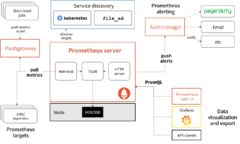
全体像を理解するにあたりPrometheus公式にある、アーキテクチャ図が非常にわかりやすく、だいぶ助けられた。
名前は聞いたことがあるものの今まであまりよくわかっていなかったPrometheusの理解が深まったことは、今回の作業で最大の収穫だった。
次のエラーが出る場合、もしDocker Composeを使っているのなら、バイナリをホストにインストールすると回避できる。
- Error scraping target: Get "http://node_exporter:9100/metrics": dial tcp: lookup node_exporter on 127.0.0.11:53: server misbehaving
- Error scraping target: Get "http://localhost:9100/metrics?collect%5B%5D=cpu&collect%5B%5D=meminfo&exclude%5B%5D=netdev": dial tcp [::1]:9100: connect: connection refused
- Error scraping target: Get "http://host.docker.internal:9100/metrics?collect%5B%5D=cpu&collect%5B%5D=meminfo&exclude%5B%5D=netdev": context deadline exceeded
参考までに一番上と一番下はIPv4なので疎通できず、真ん中はlocalhostがコンテナの中を見ているのでホストに疎通できていない状態と思われる。
数秒~数十秒のラグがあるので少し待つと出てくる。ステータスがUpになるのにも時間がかかるのでゆっくり待つしかない。
参考までに筆者のマシンはCPUがAMD Ryzen 5 5600Gでメモリは32GB積んでいるが、これほど掛かる。
--nginx.scrape-uri=でstub_statusのパスが指定できていないか、パスが間違っていないか確認すると解決するかもしれない。
参考までにPrometheusの管理画面でnginx-upのメトリクスが0の場合は取得に失敗しているので、どこかの設定がおかしい。
以下の手順を試し、原因の切り分けを図り対策する。
- Exporterが動いているか
ps ax | grep promで上がっているかどうか確認する- ポートが塞がっている場合
sudo lsof -i :<ポート番号>でプロセスを特定して殺してから起動する(ゾンビプロセスに塞がれていることがある)
- Exporterのエンドポイントにcurlが疎通するか
curl -v http://localhost:{exporterのport}/metricsで確認可能
- ポート番号はExporterのGitHubや、起動時のログに出ているので、そこを確認する
- Exporterにcurlを投げた時にメトリクスらしきものが出ているか確認する
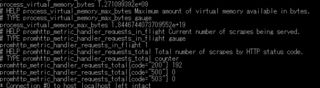
- Prometheusの管理画面を開き、取得できていないメトリクスを取得するクエリを打ち、取れるかどうかを確認

諦めて自分で作るしかない。幸い素のnginxはメトリクスが少ない。
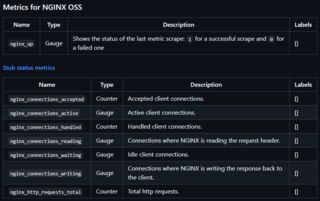
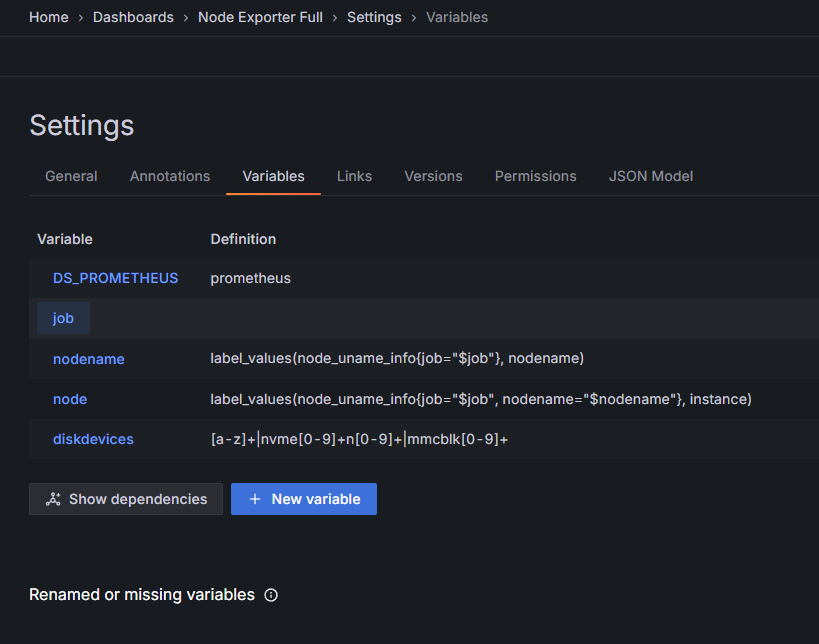
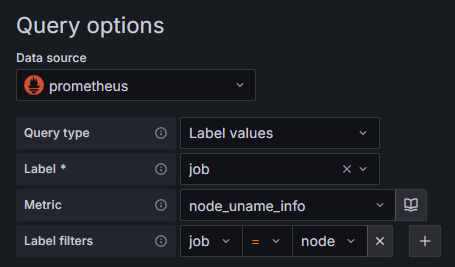
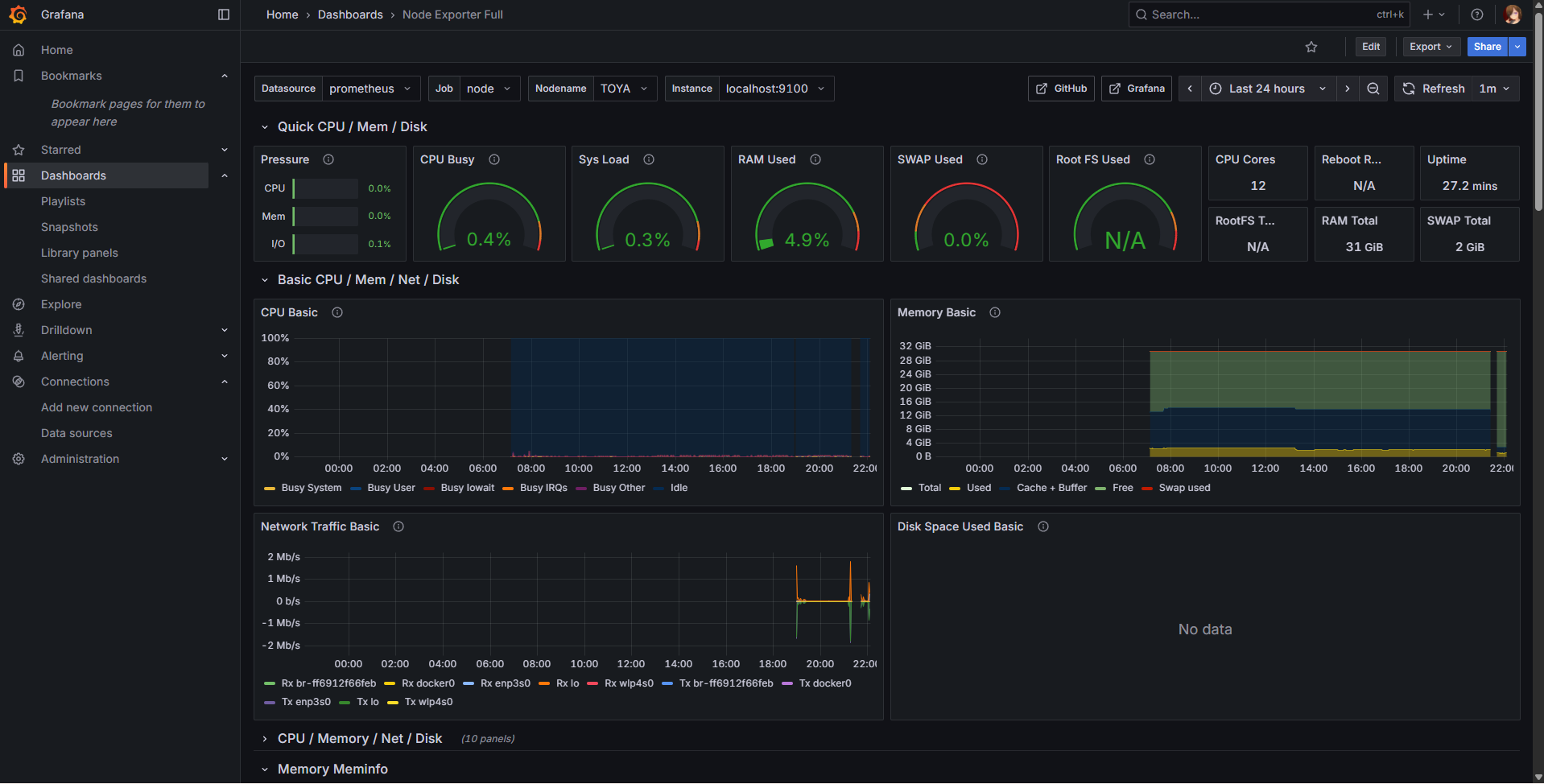
Node exporterダッシュボードの作成を参照のこと。
/etc/nginx/conf.d/grafana.confのhttp_portのコメントを外し、任意のポートに変更し、sudo service grafana-server restartで再起動する。
前段にnginxなどがいる場合は、そちらの設定を変えるのも忘れないこと。
3000番はNode.js系がよく使うため変えた方が色々便利だ。