検索条件
全4件
(1/1ページ)
UIが余りにも好みではなかったので戻した時のログ。
結論から言うと簡単に戻せた。
RAILS_ENV=production bundle exec rails db:rollback STEP=34
git revertする
sudo su - mastodon
# Rubyのアップデート用
cd ~/.rbenv/plugins/ruby-build
git pull
cd ~/live
RUBY_CONFIGURE_OPTS=--with-jemalloc rbenv install
# install
bundle install
yarn install
# DBがアカンことがあるので叩いておく
RAILS_ENV=production bundle exec rails db:migrate
# いつものリビルド
RAILS_ENV=production bundle exec rails assets:clobber
RAILS_ENV=production bundle exec rails assets:precompile
exit
# 再起動
sudo systemctl restart mastodon-web mastodon-sidekiq mastodon-streaming
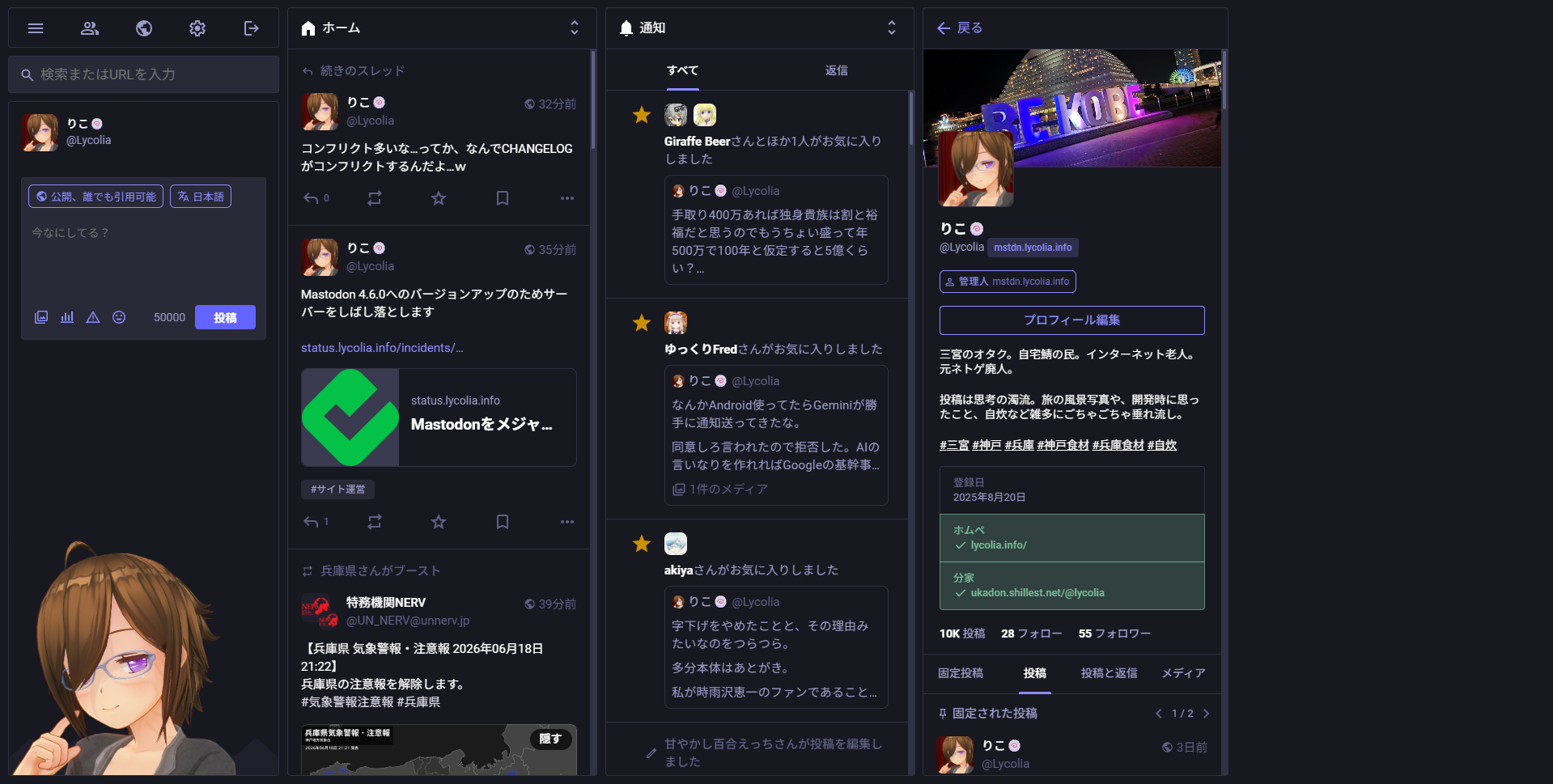
| v4.5.4 | v4.6.0 |
|---|---|
 |
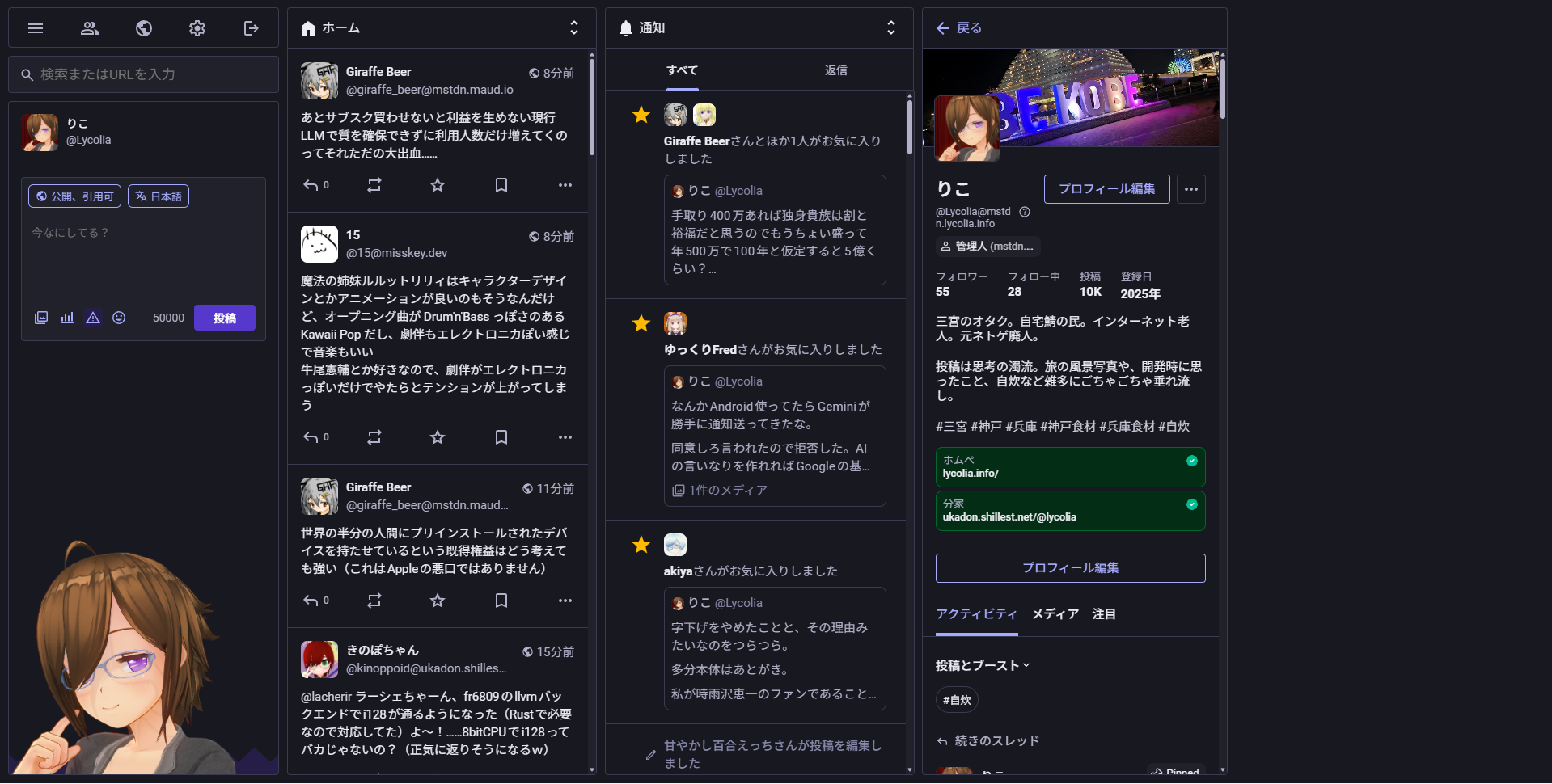 |
4.5系から4.6系でUIが大幅に変わること自体は知っていたが、UIの変更が余りにも多く、個人で元に戻せるレベルではなかったため切り戻しすることにした。
app/javascriptやpackage.json, yarn.lock, config/viteを戻してもバックエンドと結びついてるやつがいるようで上手くいかなかった。
以下、v4.6.0で気に入らなかった部分の一例。端的に言うと目が痛いし、ダサい。
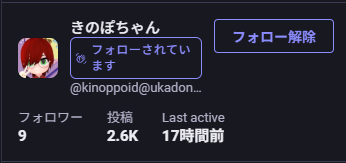
フォロー・フォロワー一覧にある「フォローされています」が余りにもデカく、ダサすぎる。
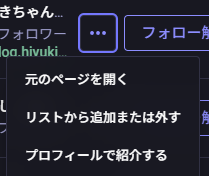
また二枚目にある便利メニューが消えた。私はこの便利ボタンを頻繁に使用しているため非常に困った。このボタンそのものは簡単に復活させられた。

日本語翻訳がまた消えた。翻訳が消えるのはMastodonにはよくあることだが毎回翻訳キーを調べて書き換えるのが嫌になった。ここ以外にも未翻訳部分はある。
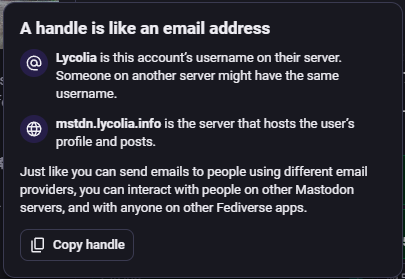
ユーザーハンドルのポップアップが変わった。前の方が良かった。説明が薄いし、Copy handleのボタンも直感的でないと思う。あと翻訳してほしい。
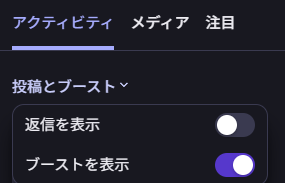
左に寄りすぎたタブと、直感的でなく操作に手数がかかるフィルタUI。返信を表示は今までタブとしてあったのに、4.6.0では「投稿とブースト」プルダウンをクリックし、トグルボタンを切り替えないといけない。これはとても直感的でないと思うし、そこまでして操作したくない。
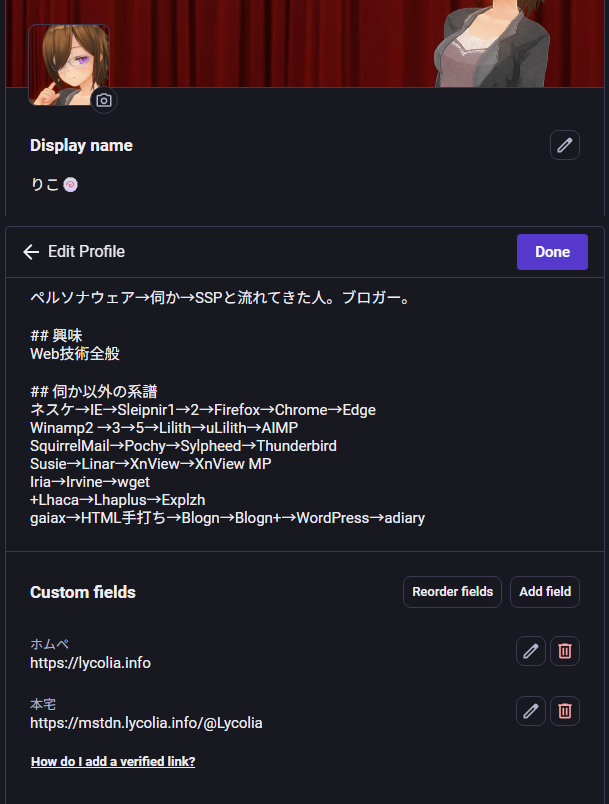
自己紹介編集画面が縦長になりすぎた。自己紹介の編集画面が空白まみれになり縦長になりスクロールが必要になったうえ、更に個別の項目に編集ボタンがあり、編集しづらい。なんで初期状態で編集可能にしないのか…。
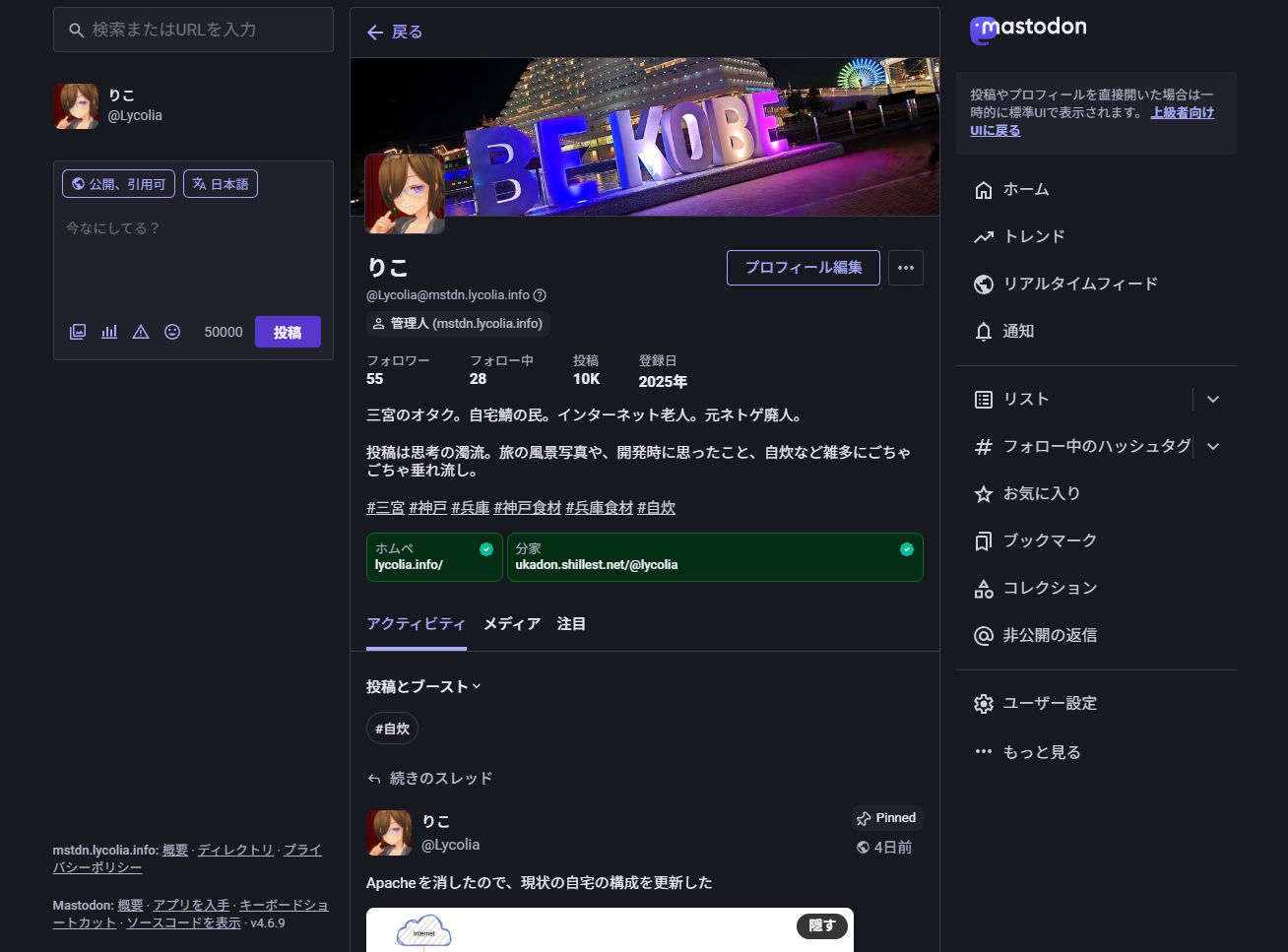
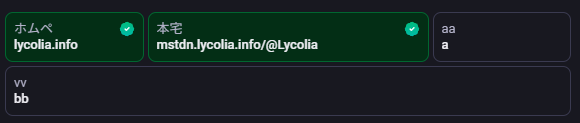
自己紹介の補足情報が一行に複数入って気持ち悪い。
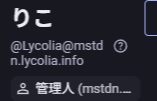
自己紹介で絵文字が出ない、要素が変に改行されたりトリムされている。

ハッシュタグのコントラスト比が高く目が痛い。
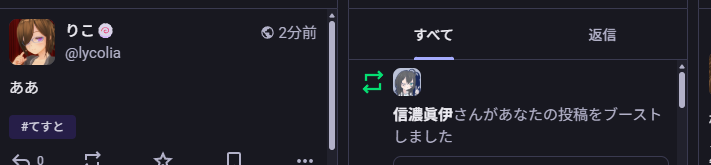
スクロールバーが太くなった。スタイリッシュさが消えた。

テキスト入力欄にフォーカスが入ると枠が出るようになった。光りすぎてて目が痛い。
未読チェックが左側に出るようになった。右側に出てくれた方が押しやすい。スクショ貼るのが面倒なので以降スクショなし。
タイムラインのメニュー展開ボタンが左側に出るようになった、右側にry。
非ログインユーザーの表示が標準ではライトテーマになっており、見た目を調整するには両方のテーマを直すか、ライトテーマを消し去るしかなく、UIの保守コストが増大した。(厳密にはブラウザのテーマによって変わる)
実はこうなることは事前にある程度知っていたのだが、Wrapstodonが使いたかったからバージョンを上げたところがある。
しかし全く容認できないUIだったため切り戻すことにした。
4.5系のUIを部分的に復活させた #4で、vibe codingを利用して直そうとしたものの、破綻が酷く、結局半分くらい自分で書いたが、結局変更箇所が多すぎてどうにもならなかった。
取り敢えずDBを壊さず、ロールバックもせず綺麗に戻せてよかった。
| Env | ver |
|---|---|
| nginx | 1.26.1 |
| Apache2 | 2.4.58 |
| PostgreSQL | 16.13 |
| Redis | 7.0.15 |
| Mastodon | 4.5.9 |
| Prometheus | 3.5.0 |
# 取得
wget https://github.com/Lusitaniae/apache_exporter/releases/download/v1.0.12/apache_exporter-1.0.12.linux-amd64.tar.gz
tar xvfz apache_exporter-1.0.12.linux-amd64.tar.gz

# binを配置
sudo cp apache_exporter-1.0.12.linux-amd64/apache_exporter /usr/local/bin/
ls -la /usr/local/bin/ | grep apache_exporter

# デーモン作成
cat <<'EOF' | sudo tee /etc/systemd/system/apache_exporter.service
[Unit]
Description=Prometheus Apache Exporter
After=network.target

[Service]
Type=simple
User=prometheus
Group=prometheus
WorkingDirectory=/var/lib/prometheus
ExecStart=/usr/local/bin/apache_exporter --scrape_uri=http://[::]:ここにポート番号/server-status?auto
Restart=on-failure
RestartSec=5

[Install]
WantedBy=multi-user.target
EOF

# デーモンの有効化
sudo systemctl daemon-reload
sudo systemctl enable --now apache_exporter

# 起動確認
curl "http://[::1]:9117/metrics"

# 掃除
rm -Rf apache_exporter-1.0.12.linux-amd64 apache_exporter-1.0.12.linux-amd64.tar.gz
# 取得
wget https://github.com/prometheus-community/postgres_exporter/releases/download/v0.19.1/postgres_exporter-0.19.1.linux-amd64.tar.gz
tar xvfz postgres_exporter-0.19.1.linux-amd64.tar.gz

# binを配置
sudo cp postgres_exporter-0.19.1.linux-amd64/postgres_exporter /usr/local/bin/
ls -la /usr/local/bin/ | grep postgres_exporter

# 監視ユーザーの作成
sudo -u postgres psql
CREATE USER postgres_exporter WITH PASSWORD 'ここにパスワード';
ALTER USER postgres_exporter SET SEARCH_PATH TO postgres_exporter,pg_catalog;
GRANT pg_monitor TO postgres_exporter;
quit

# 監視情報の作成
echo 'DATA_SOURCE_NAME="postgresql://postgres_exporter:ここにパスワード@localhost:5432/postgres?sslmode=disable"' | sudo tee /etc/default/postgres_exporter
sudo chown root:root /etc/default/postgres_exporter
sudo chmod 600 /etc/default/postgres_exporter

# デーモン作成
cat <<'EOF' | sudo tee /etc/systemd/system/postgres_exporter.service
[Unit]
Description=Prometheus PostgreSQL Exporter
After=network.target postgresql.service
Wants=postgresql.service

[Service]
Type=simple
User=prometheus
Group=prometheus
WorkingDirectory=/var/lib/prometheus
EnvironmentFile=/etc/default/postgres_exporter
ExecStart=/usr/local/bin/postgres_exporter \
    --web.listen-address=[::]:9187
Restart=on-failure
RestartSec=5
EOF

# デーモンの有効化
sudo systemctl daemon-reload
sudo systemctl enable --now postgres_exporter

# 起動確認
curl "http://[::1]:9187/metrics"

# 掃除
rm -Rf postgres_exporter-0.19.1.linux-amd64 postgres_exporter-0.19.1.linux-amd64.tar.gz
# 取得
wget https://github.com/oliver006/redis_exporter/releases/download/v1.82.0/redis_exporter-v1.82.0.linux-amd64.tar.gz
tar xvfz redis_exporter-v1.82.0.linux-amd64.tar.gz

# binを配置
sudo cp redis_exporter-v1.82.0.linux-amd64/redis_exporter /usr/local/bin/
ls -la /usr/local/bin/ | grep redis_exporter

# デーモン作成
cat <<'EOF' | sudo tee /etc/systemd/system/redis_exporter.service
[Unit]
Description=Prometheus Redis Exporter
After=network.target

[Service]
Type=simple
User=prometheus
Group=prometheus
WorkingDirectory=/var/lib/prometheus
ExecStart=/usr/local/bin/redis_exporter --redis.addr=redis://localhost:6379
Restart=on-failure
RestartSec=5

[Install]
WantedBy=multi-user.target
EOF

# デーモンの有効化
sudo systemctl daemon-reload
sudo systemctl enable --now redis_exporter

# 起動確認
curl "http://[::1]:9121/metrics"

# 掃除
rm -Rf redis_exporter-v1.82.0.linux-amd64 redis_exporter-v1.82.0.linux-amd64.tar.gz
.env.productionに以下を追加
MASTODON_PROMETHEUS_EXPORTER_ENABLED=true
MASTODON_PROMETHEUS_EXPORTER_SIDEKIQ_DETAILED_METRICS=true
デーモンを作る
cat <<'EOF' | sudo tee /etc/systemd/system/mastodon-prometheus-exporter.service
[Unit]
Description=mastodon-prometheus-exporter
After=network.target

[Service]
Type=simple
User=mastodon
WorkingDirectory=/home/mastodon/live
Environment="RAILS_ENV=production"
ExecStart=/home/mastodon/.rbenv/shims/bundle exec prometheus_exporter -b "::" -p 9394
Restart=always

[Install]
WantedBy=multi-user.target
EOF

# デーモンの有効化
sudo systemctl daemon-reload
sudo systemctl enable --now mastodon-prometheus-exporter
curl "http://[::1]:9394/metrics"
# Streamingはv4でしかlistenしてないので[::1]は諦める
curl "http://localhost:5001/metrics"
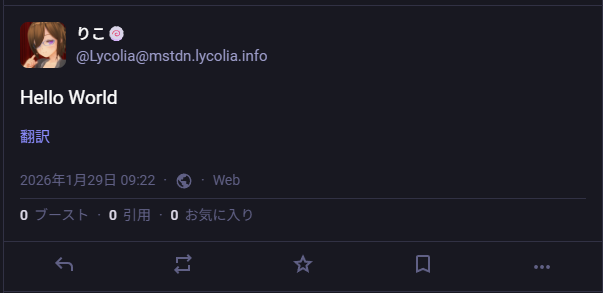
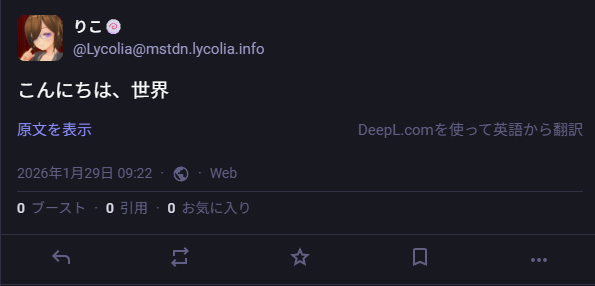
他のサーバーを見ていて、ウチでもMastodonに翻訳ボタンを生やして機能させたくなったのでやってみた結果のログ。
内容としてはDeepLのアカウントを作成し、APIキーを取得し、Mastodonの.env.productionに追記して反映するだけなので、5分くらいあればできる。
月50万文字まで翻訳できるので、たまに短文の翻訳に使う程度なら必要十分だろう。
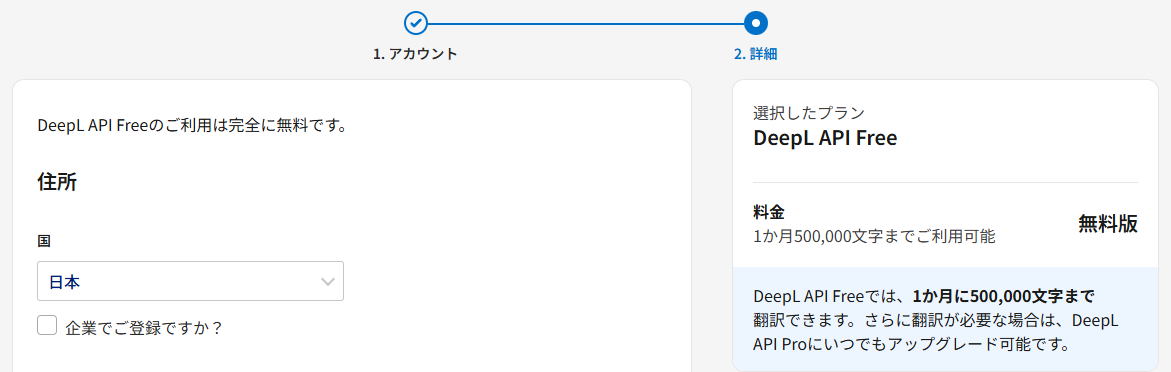
xxxxxx-xxxx-xxxx-xxxx-xxxxxxxx:fxみたいな形式のやつexport API_KEY={APIキー}
curl -X POST https://api-free.deepl.com/v2/translate \
--header "Content-Type: application/json" \
--header "Authorization: DeepL-Auth-Key $API_KEY" \
--data '{
"text": ["Hello world!"],
"target_lang": "JA"
}'
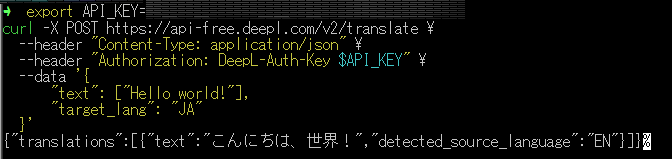
.env.productionに下記を追記
DEEPL_PLAN=free
DEEPL_API_KEY=XXXXXX-XXXX-XXXXX:fx
RAILS_ENV=production bundle exec rails assets:clobber
RAILS_ENV=production bundle exec rails assets:precompile
sudo systemctl restart mastodon-web
ブラウザを変えるといける可能性がある。
これはWindows Edgeで試してこう言われ、何度試しても無理だったが、Android Edgeで試したら一発で行けたからだ。原因としては、StripeのSDKが以下のようなエラー吐いてたのが関係していたのではないかと思っている。
Applying inline style violates the following Content Security Policy directive 'style-src 'self''. Either the 'unsafe-inline' keyword, a hash ('sha256-XXXXXXXXXXXXXXXXXX='), or a nonce ('nonce-...') is required to enable inline execution. Note that hashes do not apply to event handlers, style attributes and javascript: navigations unless the 'unsafe-hashes' keyword is present. The action has been blocked.
別にEdgeについてるBing翻訳機能でもいいのだが、こっちのほうが操作が楽だし、DeepL翻訳がうまくいかなければ、Bing翻訳という手も使えると思えばアリだろう。
2026-01-30追記
Misskeyをはじめとした互換性のないサーバーからの投稿配信すべてに翻訳ボタンが生えてきて邪魔なので結局取り去ることに…。翻訳ボタンが必要なケースは私のユースケースでは少ないので、この結果は微妙だった…。
自分の投稿にあるタグの使用回数を知りたかったのでMastodonの本番DBを見る方法を調べた記録。
Mastodon v4.5.4
postgresになってmastodon_productionを開くと見れる。
sudo su - postgres
psql mastodon_production
テーブル一覧は恐らくhttps://mstdn.example.com/pghero/で見れるものがそれだと思う。
有志が公開しているMastodonのER図を参考にさせてもらった。
自分が投稿しているタグの総数が知りたかったので、こんな感じにしてみた。たぶん自インスタンスのdomainはnullと思われる。適当なので知らんけど。
SELECT
  tags.name
  ,COUNT(*) as post_count
FROM statuses
  INNER JOIN statuses_tags
    ON statuses.id = statuses_tags.status_id
  INNER JOIN tags
    ON statuses_tags.tag_id = tags.id
WHERE
  statuses.account_id = (SELECT id FROM accounts WHERE username = 'Lycolia' AND domain IS NULL)
GROUP BY
  tags.name
ORDER BY
  post_count DESC;
ゾンビランドサガと三宮に対する言及がめちゃくちゃ多いことがよく分かった。
| タグ名 | 使用回数 |
|---|---|
| ゾンビランドサガ | 225 |
| 三宮 | 205 |
| 神戸 | 123 |
| 兵庫 | 101 |
| 自炊 | 93 |
| 兵庫食材 | 72 |
| 交通 | 64 |
| サイト運営 | 32 |
| 神戸食材 | 25 |
| 鉄道 | 22 |
| 映画 | 15 |
| 映画館 | 14 |
| 買い物 | 9 |
| 姫路 | 7 |
| 災害 | 5 |
| 夜景 | 4 |
| 経県値 | 4 |
| lastfm | 3 |
| markov | 3 |
| web | 3 |
| 御影 | 2 |
| 明石 | 2 |
| 尼崎 | 2 |
| カメラ | 2 |
| ai | 2 |
| ui | 2 |
| せちまなと打って性格がわかるらしい | 1 |
| しなちくシステム無料ガチャ | 1 |
| 加古川 | 1 |
| 回線 | 1 |
| 眼鏡っ娘を見るとストレスが減るらしい | 1 |
| 気動車 | 1 |
| このタグをみた人は好きな天ぷらを答える | 1 |
| 阪神 | 1 |
| 山歩しよう | 1 |
| 児島 | 1 |
| shindanmaker | 1 |
| page42 | 1 |
| notestocklogincode | 1 |
| notestock | 1 |
| 土産 | 1 |
| 飯屋 | 1 |
| last | 1 |
| fediverseプロフ帳 | 1 |
| 無事下山 | 1 |
| ガルクラ | 1 |
| ガジェット | 1 |
| ガルクラタイプ診断 | 1 |
| ガルクラ総集編 | 1 |
| ソンビランドサガ | 1 |
| インターネット | 1 |
| ネットワーク | 1 |
| プロフィール帳 | 1 |
| プロフ帳 | 1 |
| ライフハック | 1 |